
How it works
A day with Coach.
Follow one member through one day on the Polaris app: the morning brief, lunch logged in one line, where the day stands on Today, and an evening workout logged set by set in Training.
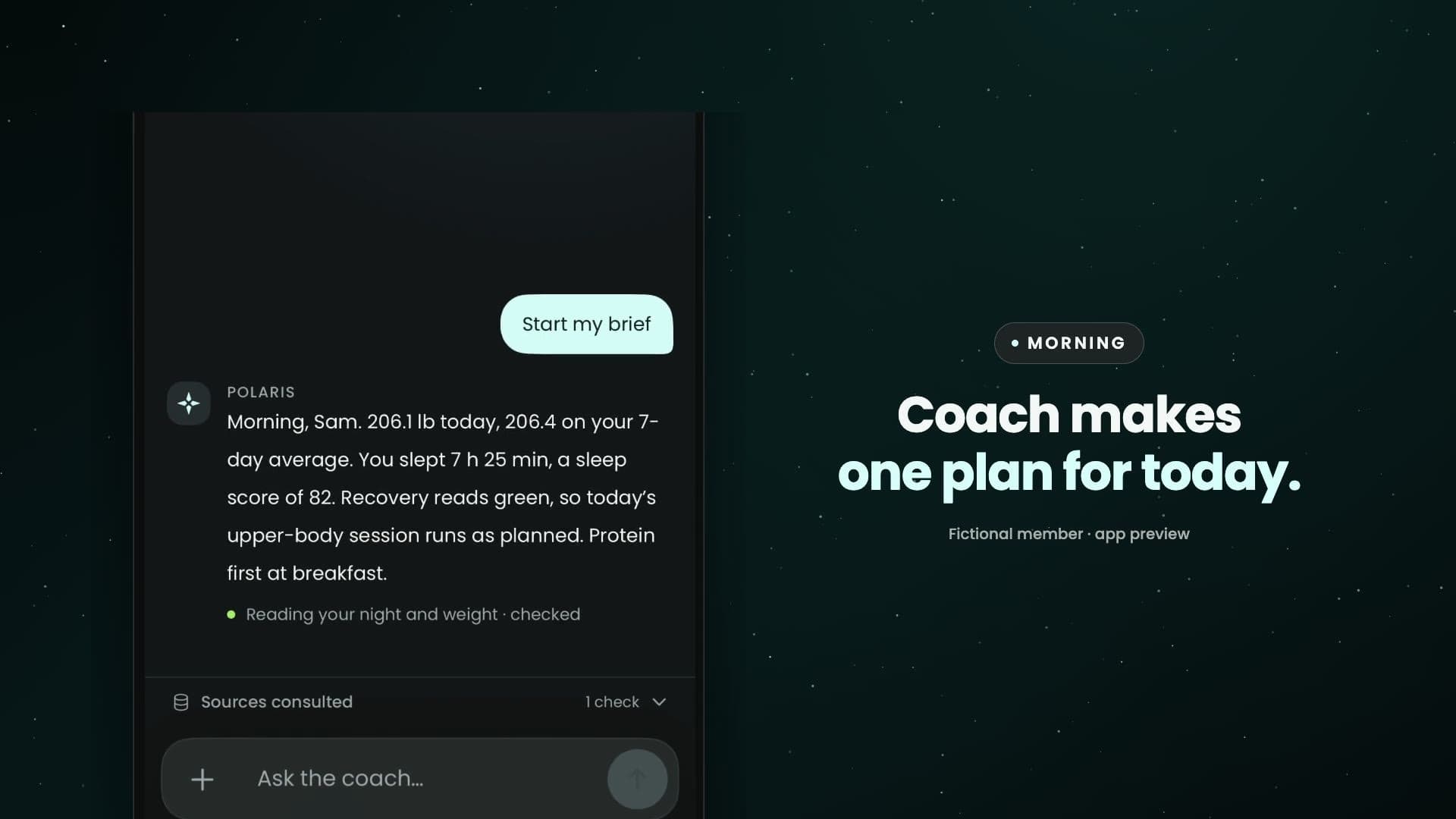
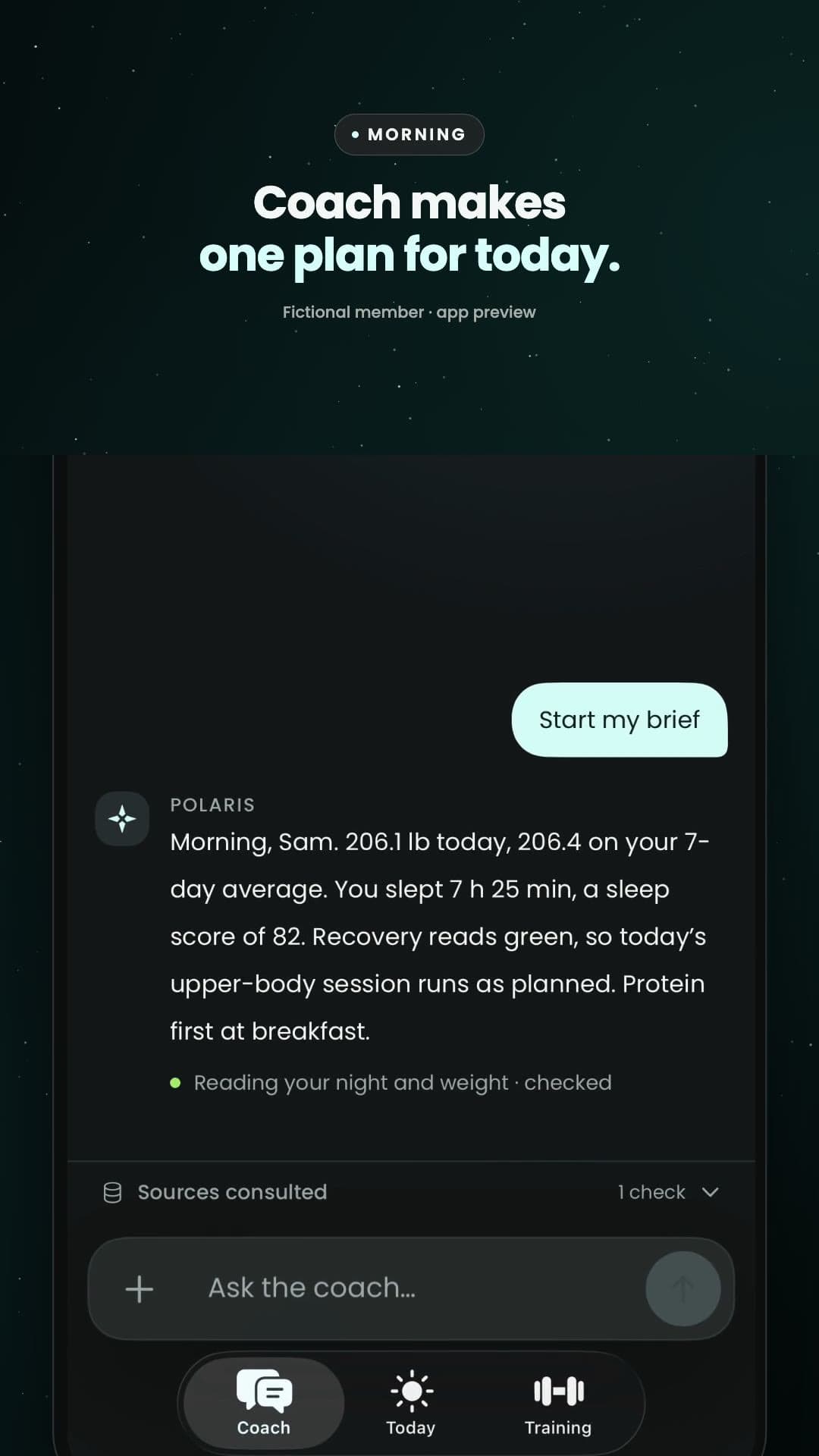
A day with Coach: one day with Sam, a fictional member. Morning: Sam steps on the scale, then taps the morning push. Coach reads the weigh-in, the night and recovery, and makes one plan for today: 206.1 lb, 206.4 on the 7-day average, 7 hours 25 minutes of sleep and a sleep score of 82, recovery green, so the upper-body session runs as planned. Lunch: Sam types @Chicken breast @Jasmine rice with 6 oz chicken, 1 cup rice; Coach puts the numbers on a card, and nothing saves until Log it. Afternoon: Today shows where the day stands, and what's still open: weight, steps and the Daily score. Evening: the workout starts right from Today, with last time's numbers already there. Sam checks each set as they go, taps Finish, and Coach sees every set. It all lands in History, and Coach plans the next session from it. Anything else? Just ask Coach. Polaris. Find your North Star. Stay the course. Request Alpha access at polarishealth.ai.
How each part works
Five short clips, about 20 seconds each, in the order of a day. Turn the sound on.
Members: every how-to is in Polaris
Start your morning brief. Weigh in when you get up. Then tap the morning push. Coach reads your weight and your night and makes one plan for today.
6:40 AMSleepStart your morning brief
Weigh in when you get up, then open your brief. Polaris reads your weight, last night's sleep and recovery from Apple Health and gives you one plan for today.
- Weigh in when you get up.
- Then tap the morning push.
- Coach reads your weight and your night and makes one plan for today.
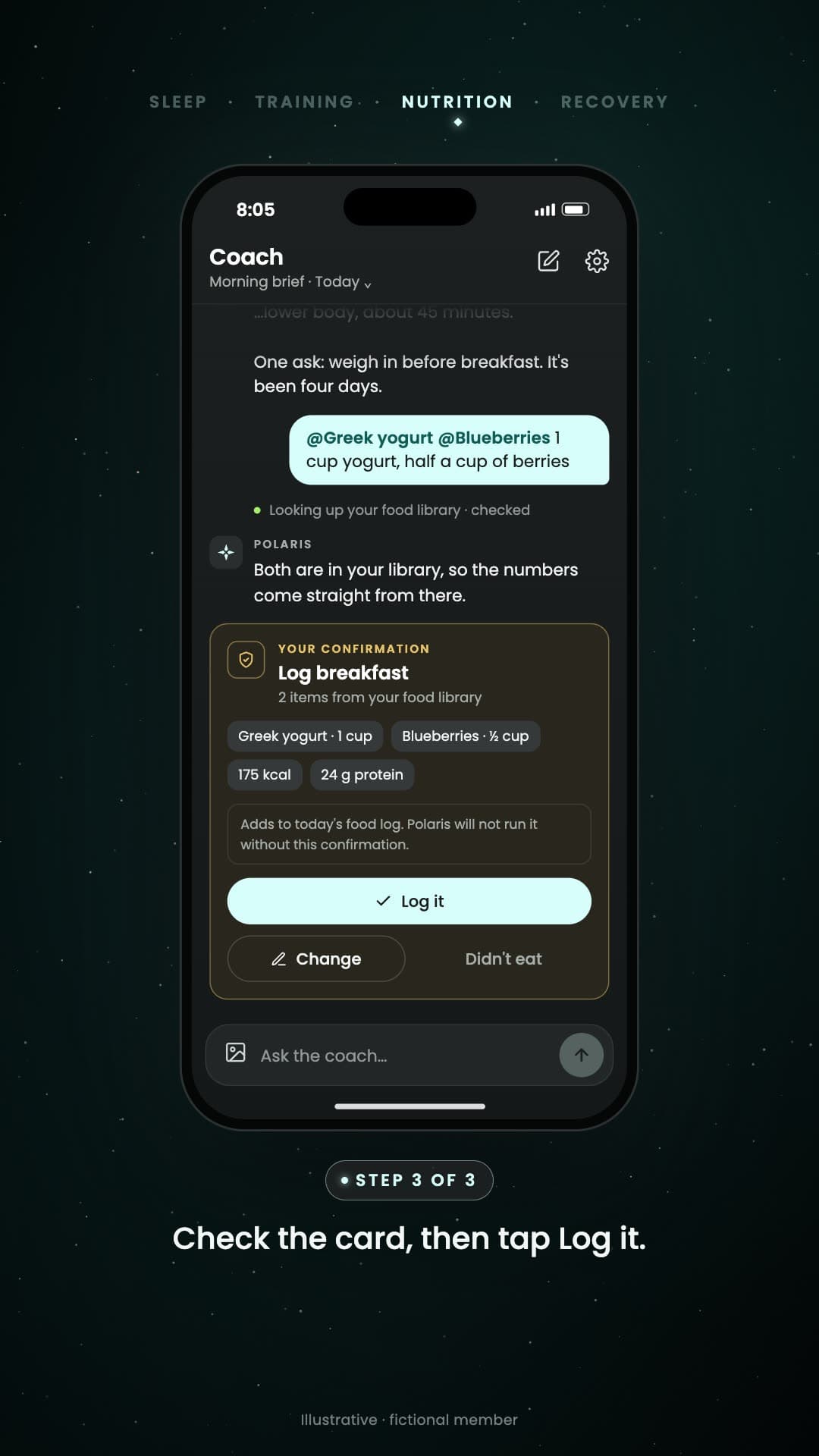
Log a meal in one line. Type @ and pick your foods. Coach pulls the numbers from your library. Check the card, then tap Log it.
8:05 AMNutritionLog a meal in one line
Pick foods from your library with @ and add amounts in plain words. Coach shows the numbers on a card, and nothing saves until you tap Log it.
- Type @ and pick your foods.
- Coach pulls the numbers from your library.
- Check the card, then tap Log it.
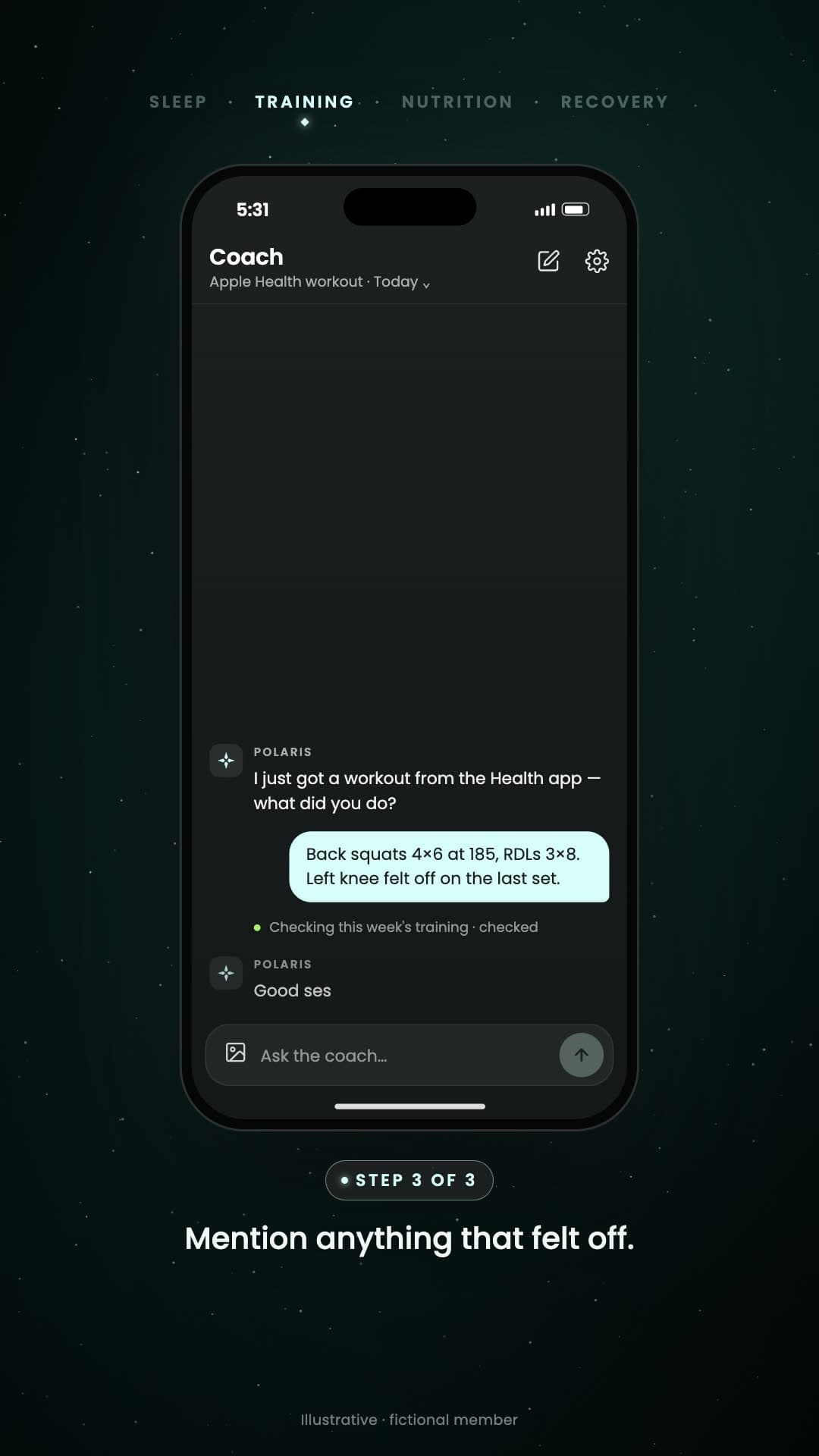
Add details to a workout. Tap Workout received. Tell Coach what you did. Mention anything that felt off.
5:31 PMTrainingAdd details to a workout
When Apple Health sends a workout, Polaris asks what you did. Logged it in Training? Coach already has every set. Otherwise, tell Coach the lifts and anything that felt off.
- Tap Workout received.
- Tell Coach what you did.
- Mention anything that felt off.

Tell Coach when something hurts. Say where it hurts and how much. Coach adjusts tomorrow's plan. Confirm to track it.
5:34 PMRecoveryTell Coach when something hurts
Say where it hurts and how much. Coach keeps tomorrow's session but makes it simpler, and tracks the pain once you confirm.
- Say where it hurts and how much.
- Coach adjusts tomorrow's plan.
- Confirm to track it.
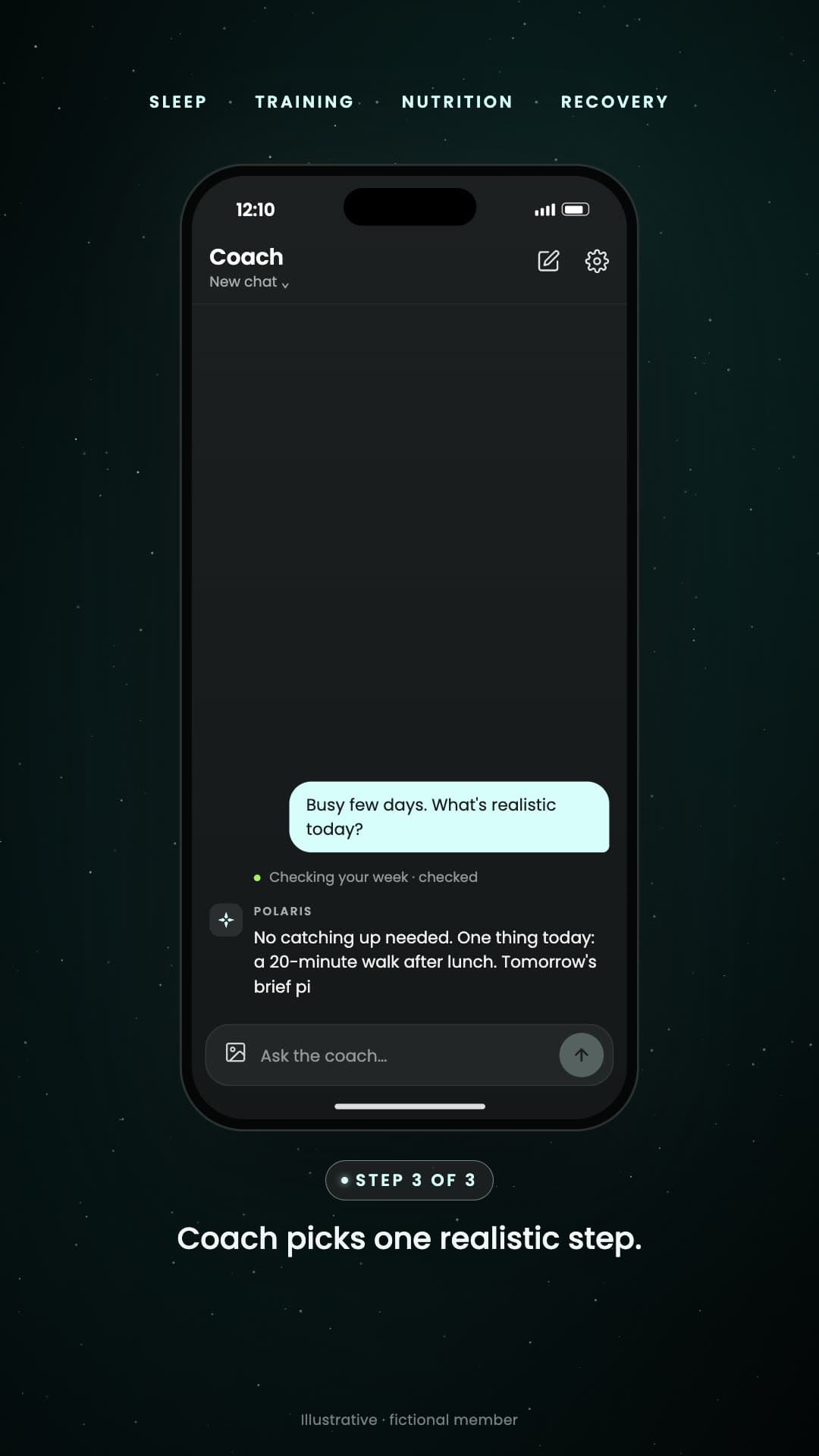
Missed a few days? No problem.. Tap Checking in, or just open Coach. Say what happened and what today looks like. Coach picks one realistic step. Say yes and it's saved.
FridayAll fourMissed a few days? No problem.
Got busy? When you've missed a few days, Polaris checks in. There's no catching up: Coach picks one realistic step, and once you say yes, it asks how it went.
- Tap Checking in, or just open Coach.
- Say what happened and what today looks like.
- Coach picks one realistic step. Say yes and it's saved.
Jason · Polaris co-founder
Why I built Training.
Jason used to hate the gym. He paid for an app to keep him accountable, stopped anyway, and spent most of 2025 hurt. Since May he has logged 44 strength workouts and lost about 16 pounds, and Polaris sees every set. Watch his real numbers in 90 seconds.
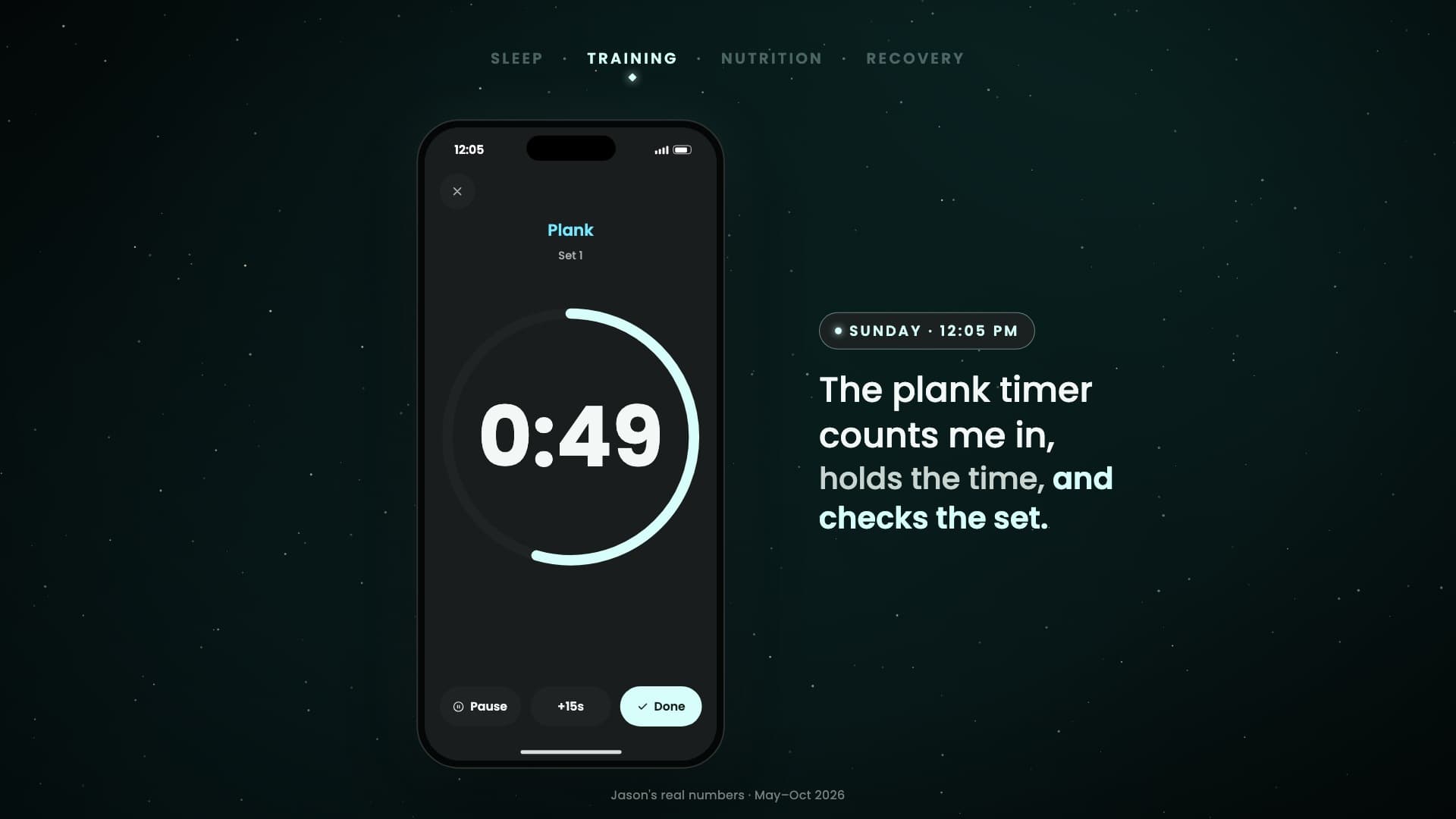
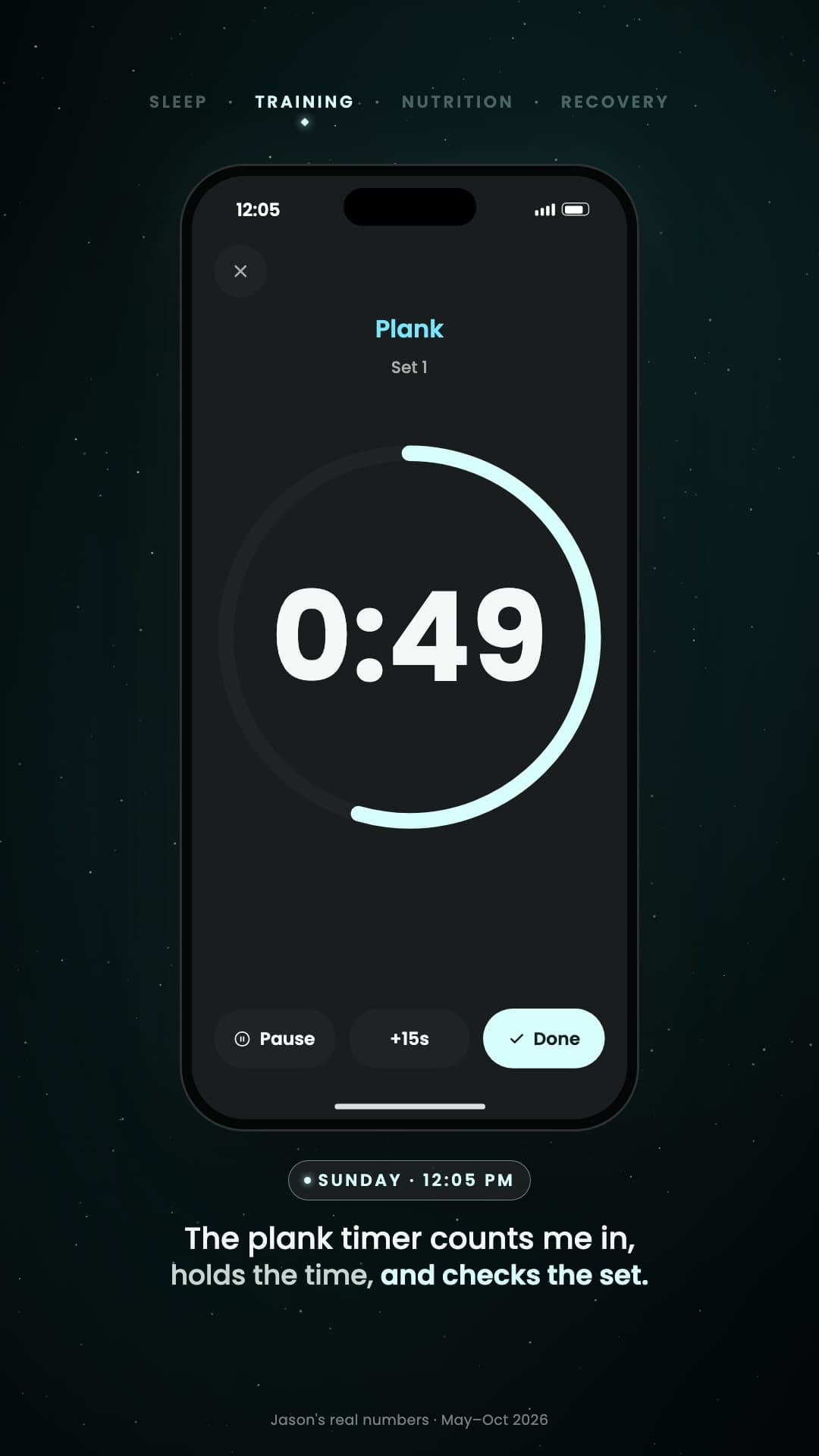
Why I built Training. Jason, Polaris co-founder. I used to hate the gym. In 2024 I paid for an app to keep me accountable. By summer 2025 I'd stopped: cardio, or nothing. One injury after another, and foot surgery at the end of 2025. So I built the accountability into Polaris. Since May: 44 strength workouts in 23 weeks. On a cut since May: 212.7 to 198.7 lb, 14 lb in five months; body fat 20.2% to 18.8% on a smart scale. Sunday, 8:30 AM: every morning Coach sets the target; Sunday, goblet squat, 30 lb × 12. 11:22 AM: every set lives in Training, and last week's numbers are right there. 12:05 PM: the plank timer counts me in, holds the time, and checks the set. 12:07 PM: finish, and Coach sees it: Workout saved, 2 PRs, 45 minutes, 5,940 lb, 25 sets. 12:19 PM: no more logging workouts in chat; Coach already has them. This week: history, records and volume, week by week. 3.7 lb to go: at 195, Coach asks what's next. For me: building muscle. Strength matters more every year, for men and women. Start where you are. Polaris. Find your North Star. Stay the course.
Everything here works in the Polaris iPhone app today. Sam is fictional, and so are his numbers. Jason's are real.
See inside Coach's mindIs this Alpha right for you?
Who it's for
You have a goal you're serious about, whether you're starting over or already training. You may have a full plan, a partial plan, or simply a clear place to start. You want help turning the whole picture into consistent action.
Who it's not
- People hunting a generic workout or meal generator
- People who want to collect data and leave it there
- Anyone who needs a human coach as the product
- Anyone using an Android device
Get the app on iPhone
No form and no invite code. Install Polaris from TestFlight on your iPhone, then sign up in the app with Sign in with Apple.
Is Alpha really free?
Yes. Free for as long as Alpha runs.
No card, no trial that turns into a bill. You can stop or delete your account any time.
Why free? You're early. Polaris is still being built, and your feedback shapes what it becomes. You get Coach first; we get honest answers. That's the whole deal.
What comes next: every Alpha member moves into the Beta. Polaris will be paid eventually, likely around $29.99 a month, with founding-member pricing for early members. You'll never be charged unless you choose to sign up.
Alpha requirement
Alpha runs on iPhone, with Apple Health syncing through the Polaris app.
- Apple Health on your iPhone
- TestFlight installed, then Polaris from our link
- Sign in with Apple in the app. No invite code
A few extra steps while we're in TestFlight. You sign up in the Polaris app, which walks you through Apple Health, and the app is required for this Alpha. Get the app on iPhone to get started.
Get the app
- Tap the button on your iPhone. It opens Polaris in TestFlight.
- Install TestFlight if Apple asks, then install Polaris.
- Open Polaris and sign in with Apple. Your account is made right there.
On a computer? Open this page on your iPhone, or tap the button and follow Apple's steps.